

A Bigger Minimap and a Party Window
Dear Tibians!
Two changes reach your client this week. The first one is already here, and the second arrives after the server save on Monday, September 21.
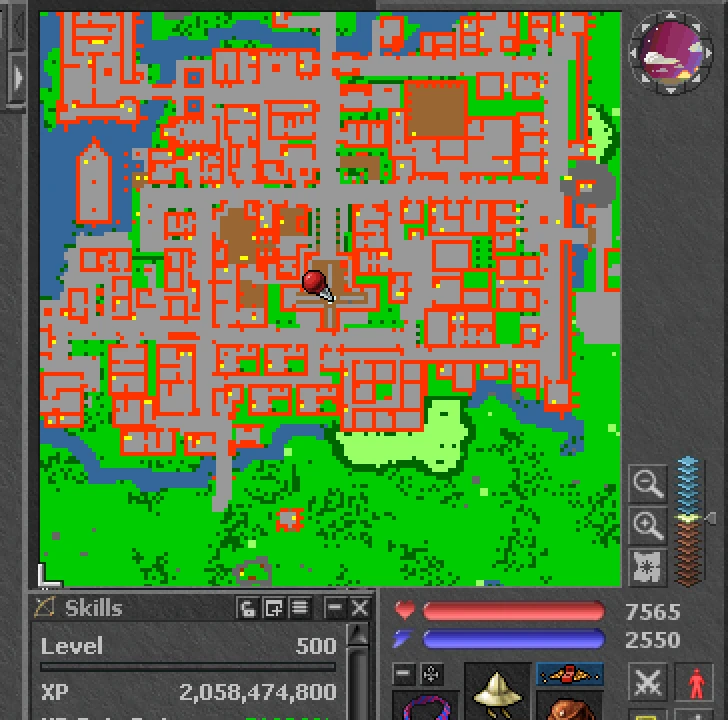
A Bigger Minimap
You can now resize the minimap. Drag the small bracket in its bottom-left corner: it grows up to two and a half times as tall as before, and if you have a second column open on the right it can also spread across both. Whatever you keep in that column moves down below the map. Close the column and the map goes back to one; open it again and the map spreads out again. Your client remembers the size you pick, and the launcher brings the update the next time you open it.
Party Window
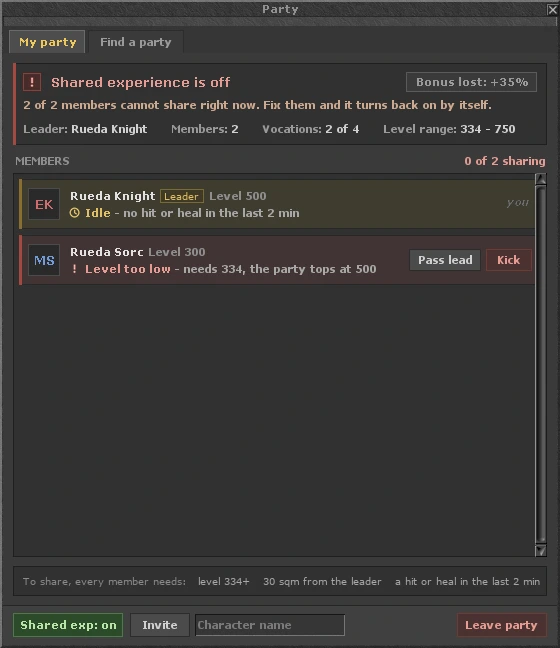
A new Party button in the button panel next to your equipment opens a window with two tabs. My party shows your whole party. At the top it tells you whether shared experience is active, how much bonus your mix of vocations gives (up to +100% with all four) and the level range that can share with your highest member.
Below, every member has a row with their vocation and level. When someone is not sharing, the row says why: too far from the leader, with the distance in sqm; level too low, with the level they need; or no hit or heal in the last two minutes. The window refreshes on its own every two seconds.
From the same window the leader can invite players by name, pass the leadership, withdraw pending invitations and turn shared experience on or off. Kicking a member asks for confirmation first. All of this works in the middle of a fight.
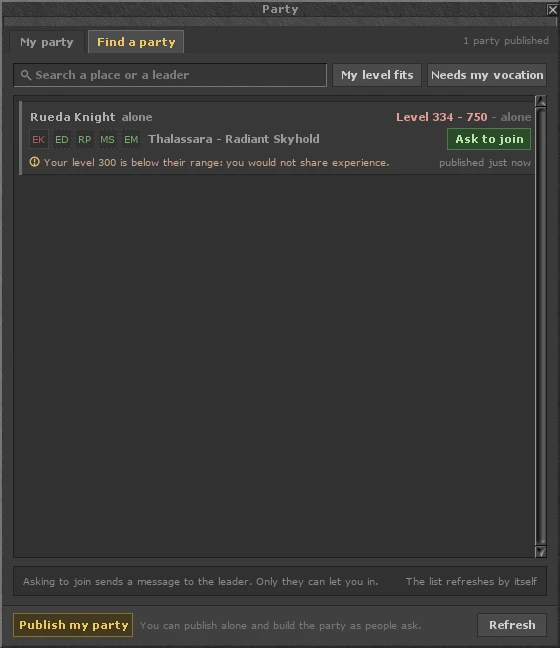
Find a party lists the parties looking for people. Each one shows the leader, the vocations already in and the ones missing for a perfect party, the level range, the hunting place and a short note. You can search by place or leader, show only the parties your level fits, or only the ones that need your vocation. Ask to join sends the leader a message, and the leader invites you from their own window.
The leader, or anyone playing alone, can publish with Publish my party: pick the hunting place from the list and add a note. The level range comes from your highest level, so nobody has to type it. A listing stays up for 30 minutes, or until the party has four vocations.
There are also three commands: !party opens the window, !partykick name lets the leader remove a member, and !partyexit takes you out of the party. Kicking and leaving work even with a protection zone lock.
Please note that the Party button and the commands arrive with the server save.
Happy hunting!
Your Solera Team